
It keeps working offline
A self-hosted app is offline more often than a hosted one — your server reboots, your laptop sleeps, your train enters a tunnel. Papyra treats that as normal, not exceptional.
Papyra installs as an app. A service worker keeps the shell and your last-read notes on the device, so it opens and renders with no network at all — not a spinner, not an error page, your actual notes.

Edits made offline are not lost
This is the part that matters. When a save cannot reach the server, it does not fail and it does not throw away your text. It goes into a queue in the browser’s own storage, stamped with the time. The note keeps showing your version, because the queue is laid over the server’s snapshot when the grid renders — so a note you edited offline shows your words, and a note you created offline appears at all.
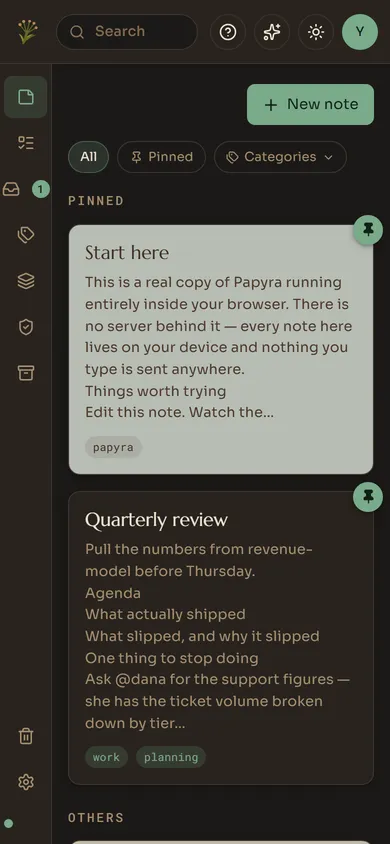
The dot at the bottom of the sidebar tells you how many writes are waiting.
The replay is deliberately paranoid
When the server comes back, the queue drains oldest-first. The rules are chosen so that the one unforgivable failure — losing someone’s writing — cannot happen:
- A network error, a 5xx, a rate limit, or a session that expired while you were away all keep the write queued. The server restarting must not eat your edits.
- Only a genuinely unwritable response — the note is gone, the payload is rejected — drops an entry, and then only so it cannot wedge every later write behind it forever.
- If the server’s copy moved on while you were offline, your queued edit wins, but the revision it overwrote was snapshotted first and Papyra names the notes where that happened.
It notices faster than the browser does
navigator.onLine only knows whether you have a network, not whether Papyra’s
server is reachable on it. Papyra’s realtime connection is the more sensitive
signal: it notices the API dying while the browser still believes everything is
fine, and flips the app into queueing mode immediately — so you never watch a
save spin against a server that is already gone.
Signing out actually signs you out
Because there is an offline cache, “sign out” has to mean more than dropping a cookie. It clears the in-memory query cache, the service worker’s cached responses, and the write outbox. The next person to use that browser gets nothing of yours.